
Word import
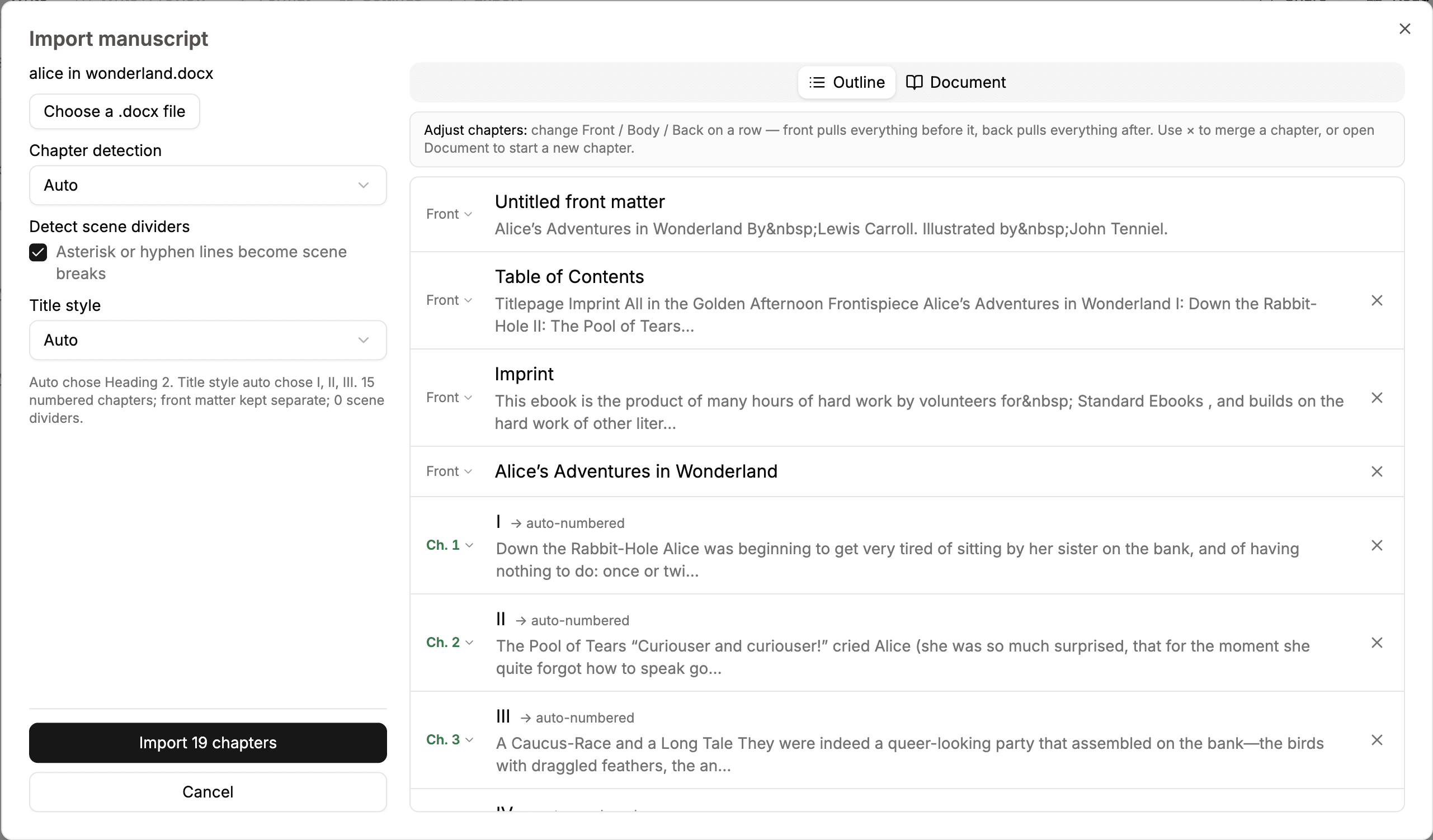
Import a .docx, review detected chapters, and adjust the splits before adding it to the book.

Write, organise, format, preview, and export a complete book in one browser workspace.
Build the manuscript and its structure in one place.
Import a .docx, review detected chapters, and adjust the splits before adding it to the book.
Write headings, lists, images, scene dividers, and footnotes, plus dedicated featured quotes, verse, tables, and callouts—without installing an app.
Arrange front matter, body matter, back matter, sections, chapters, and a generated table of contents.
Return to earlier chapter versions and track word, chapter, and estimated print-page counts.
Members can invite editors to a shared manuscript; collaborators do not need their own membership.
Use the same book on macOS, Windows, Linux, Chromebooks, tablets, and phones in a modern browser.
Learn moreFolius finds likely chapters in a Word document and lets you correct the outline before import.
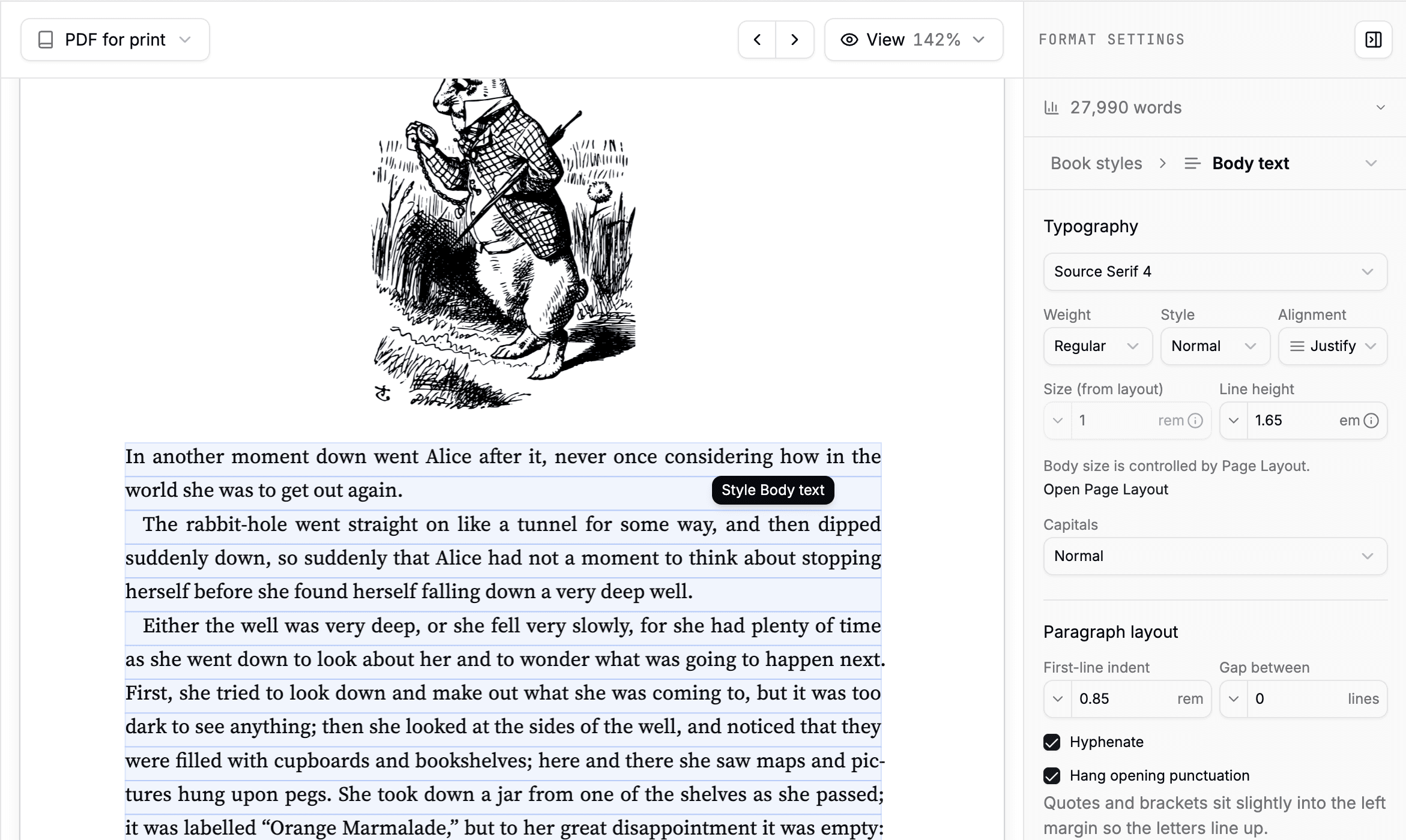
Set the rules once and see them applied across the book.
Edit beside a paginated print page or switch to a reflowable ebook preview.
Start with a coordinated design for a novel, reference book, or children’s book.
Control fonts, spacing, chapter openings, headings, indents, hyphenation, widows, and orphans.
Set fonts, line breaks, chapter labels, and ebook metadata from the book’s language. Hebrew, Arabic, and Persian run right to left. Japanese and Chinese can also flow in vertical columns.
Learn moreChoose trim size, margins, type size, bleed amount and edges, crop marks, headers, footers, and recto starts.
Place, crop, caption, and bleed images within text, beside it, or on their own pages.
Keep the title page, copyright, ISBN, language, cover, and other metadata with the book.
Select a page element, change its shared rule, and judge the result in the finished-page preview.
Generate finished files and keep the source portable.
Free accounts include EPUB, Markdown, and backup; membership adds print PDF, screen PDF, and static HTML.
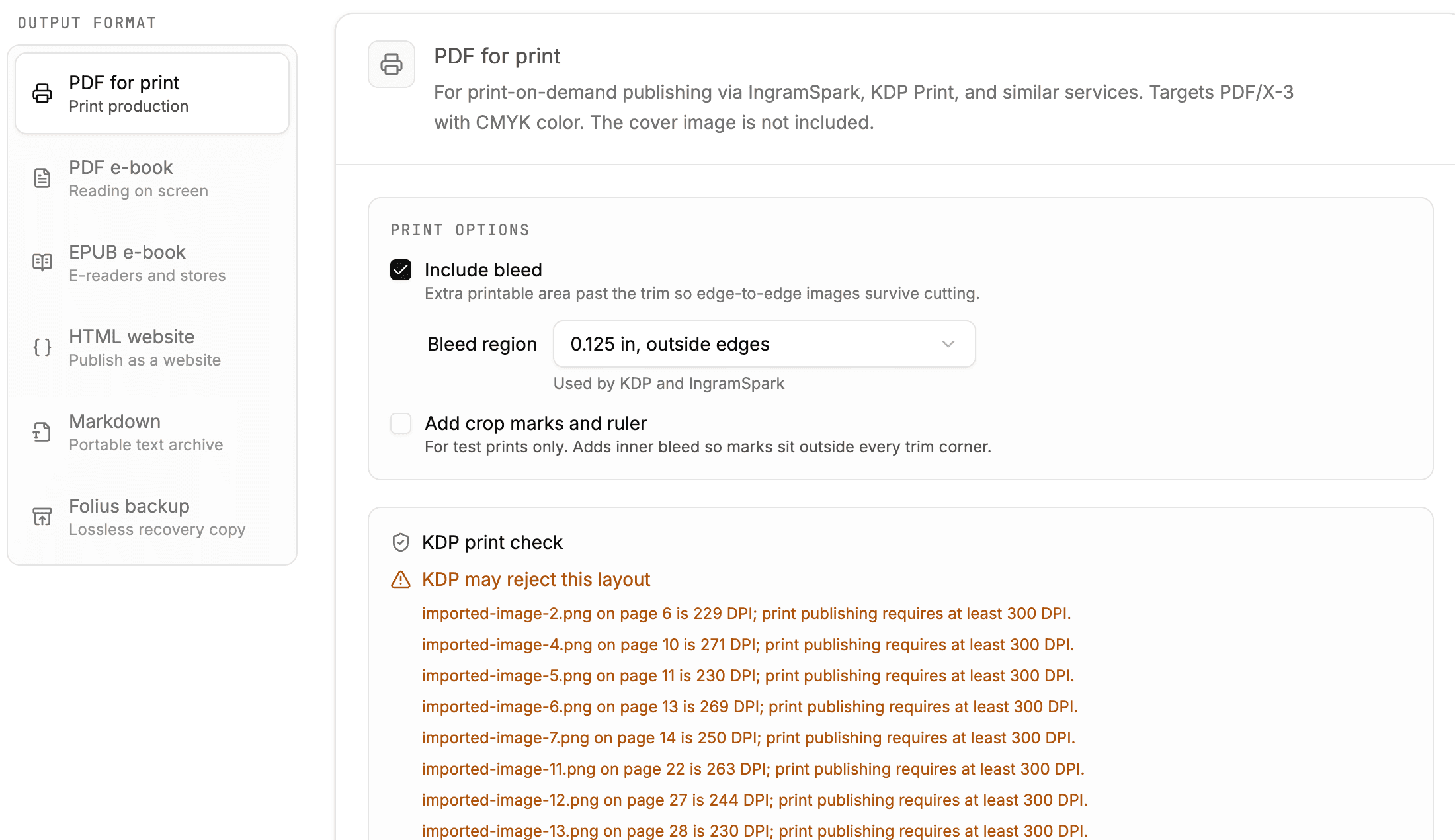
Produce PDF/X-3 interiors with CMYK output, embedded fonts, bleed, and crop marks.
Check page limits, page-count-based margins, trim, bleed, and safe areas before upload.
Learn moreMembers can share a read-only browser edition; the public link pauses if membership ends.
Keep previous publication files available when you need to download them again.
Download the manuscript as Markdown or save a complete Folius backup for safekeeping.
One book can produce files for a printer, an ebook store, the web, another writing tool, or an archive.
Start writing for free. No account or card required.