

Vellum for PC · Windows formatting guide
Looking for a cross-platform Vellum alternative?
Folius is a web-based, cross-platform Vellum alternative for authors who want to move between desktop, tablet, and phone—and invite an editor into the same book. Vellum remains a polished choice for individual authors who prefer its Mac application.
The short answer
Choose Folius for a shared, cross-device publishing workspace with detailed print typography and several output formats from one manuscript.
Folius also supports dedicated featured quote, verse, table, and callout blocks that Vellum and Atticus do not currently offer. Choose Atticus for a $147 one-time purchase and offline-capable writing. Reedsy Studio is the simplest free general-purpose option. Kindle Create works for straightforward, Amazon-only books. If the requirement is Vellum itself, the Windows route is a rented cloud Mac.
Vellum alternatives compared
Five practical ways to format a book on Windows.
“Works on Windows” is only the first filter. Compare the files you receive, how much print control you need, and whether you prefer free software, membership, or a one-time purchase.
Folius
Free to write, preview, and export an EPUB without hosted images; $12/month or $99/year for member featuresRichly structured books in a shared, cross-device workspace
Browser on desktop, tablet, and phone · PDF, EPUB, Word, HTML, Markdown, native archive
Vellum
$249.99 for print and ebookAuthors who specifically want Vellum’s Mac workflow
macOS; rented cloud Mac from Windows · Print PDF, EPUB
Atticus
$147 one-timeA one-time purchase and offline-capable writing
Browser/PWA on Windows, Mac, Linux, Chromebook · PDF, EPUB, DOCX backup
Reedsy Studio
Free formattingA conventional book at no cost
Browser · Print PDF, EPUB
Kindle Create
FreeSimple, text-heavy, KDP-only books
Windows and macOS application · KPF for Amazon KDP
Prices in USD before tax, checked on 18 September 2026. The comparison covers ordinary reflowable ebooks and print interiors; unusual fixed-layout books need a separate evaluation.
Choose by workflow
The best alternative depends on what you are replacing.
Use Folius for a shared, cross-device publishing workspace
Folius runs in a browser across desktop, tablet, and phone, so the same book is available without passing a project file between computers. Invite an editor into that book when you need to collaborate, then publish print, ebook, web, Markdown, and native backup editions from one structured manuscript.
- Use dedicated featured quote, verse, table, and callout blocks
- Control trim, margins, bleed, running matter, hyphenation, widows, orphans, and chapter openings
- Run page-count-aware KDP print checks
- Invite an editor without requiring another membership
- Try the editor and export EPUB before paying
Use another route when its constraint fits
Reedsy Studio: A free browser workflow with a small set of professional templates for conventional print and ebook layouts.
Kindle Create: A free application for simple books headed only to KDP, with more restricted print design controls.
Compare real output
Proof the files before choosing the tool.
Import a representative chapter rather than judging an empty template. Include the elements most likely to expose differences: scene breaks, footnotes, images, nested headings, long paragraphs, and a chapter opening. If your manuscript needs one, also try a featured quote, verse, table, or callout—a meaningful capability difference between Folius and Vellum or Atticus.
- Inspect pagination, widows, orphans, margins, and running matter in the PDF
- Validate the EPUB and open it in retailer previewers
- Check how easily you can revise every edition after a manuscript change
- Confirm that the source and finished files can leave the platform
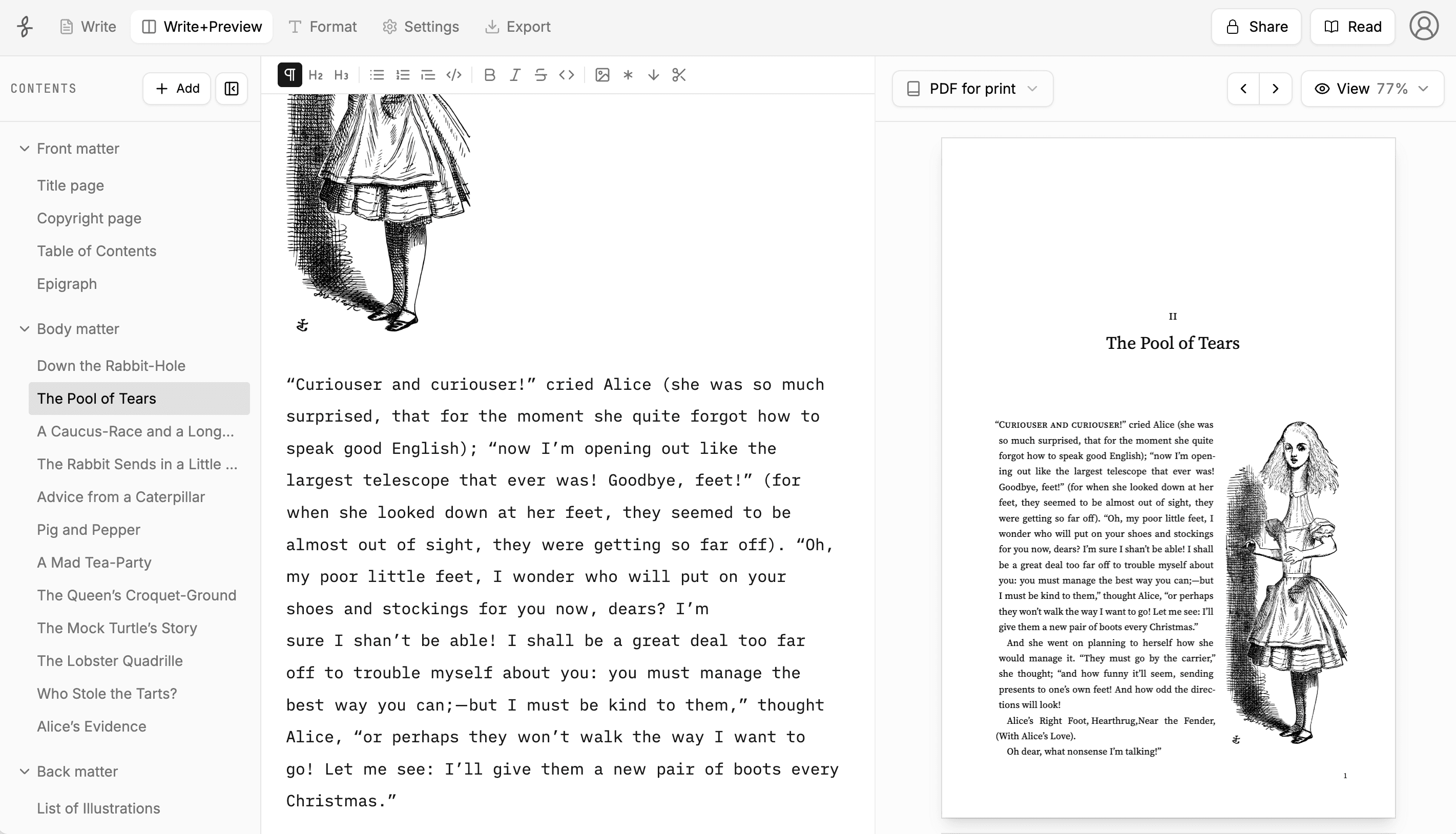
Inspect finished books on the examples page, review what is free and paid, or follow the Amazon KDP print guide.
Vellum alternative FAQ
Windows book formatting questions, answered directly.
Is there a version of Vellum for Windows?
No. Vellum requires macOS. Its documented Windows workaround is to rent a cloud Mac and control it remotely, then transfer the manuscript to and from that computer.
What is the closest Vellum alternative for Windows?
Atticus is the closest match when you want a one-time purchase, cross-platform access, and offline-capable writing. Folius is the stronger fit when print typography, multi-format publishing, portability, or collaboration matters more.
Can I try Folius before paying?
Yes. No account or card is required to start. Writing, Word import, formatting, print preview, Markdown, native Folius backup export, and EPUB without hosted images are free. Print PDF, hosted images and cover uploads, collaboration, and the other member features require a $12 monthly or $99 annual membership.
What is the best free Vellum alternative for Windows?
Reedsy Studio is a strong free general-purpose choice because it exports EPUB and print PDF. Kindle Create is also free and may suit a simple book published only through Amazon KDP. Folius offers free editing, preview, and EPUB, but print PDF requires membership.
Can Kindle Create replace Vellum?
For a simple, text-heavy book going only to KDP, it may be enough. Kindle Create provides themes, chapter elements, contents, images, and previewing, but its paperback workflow restricts fonts, margins, bleed, and other print choices. Its publishable KPF is intended for KDP rather than general ebook distribution.
Does Folius support book elements that Vellum and Atticus do not?
Yes. Folius has dedicated blocks for featured quotes, verse, tables, and callouts, with treatments designed for both print and ebook output. Vellum and Atticus do not currently offer these as dedicated content blocks.
Can I take my book out of Folius?
Yes. Export Markdown for portable content or a native Folius archive for a lossless backup that preserves the complete book for restoration. PDF, EPUB, and static HTML are the publishing editions.
Try the actual workflow
Format a chapter on Windows before deciding.
No account or card is required. EPUB, Markdown, and Folius backup export are free; print PDF requires membership.
Vellum is a registered trademark of 180g. Kindle and KDP are trademarks of Amazon.com, Inc. Atticus and Reedsy are trademarks of their respective owners. Folius is not affiliated with or endorsed by these companies.